WebTrader
A trading platform built for performance
TradingView-powered charting, real-time streaming prices, advanced order management, and portfolio tracking — on web and mobile, under your brand.

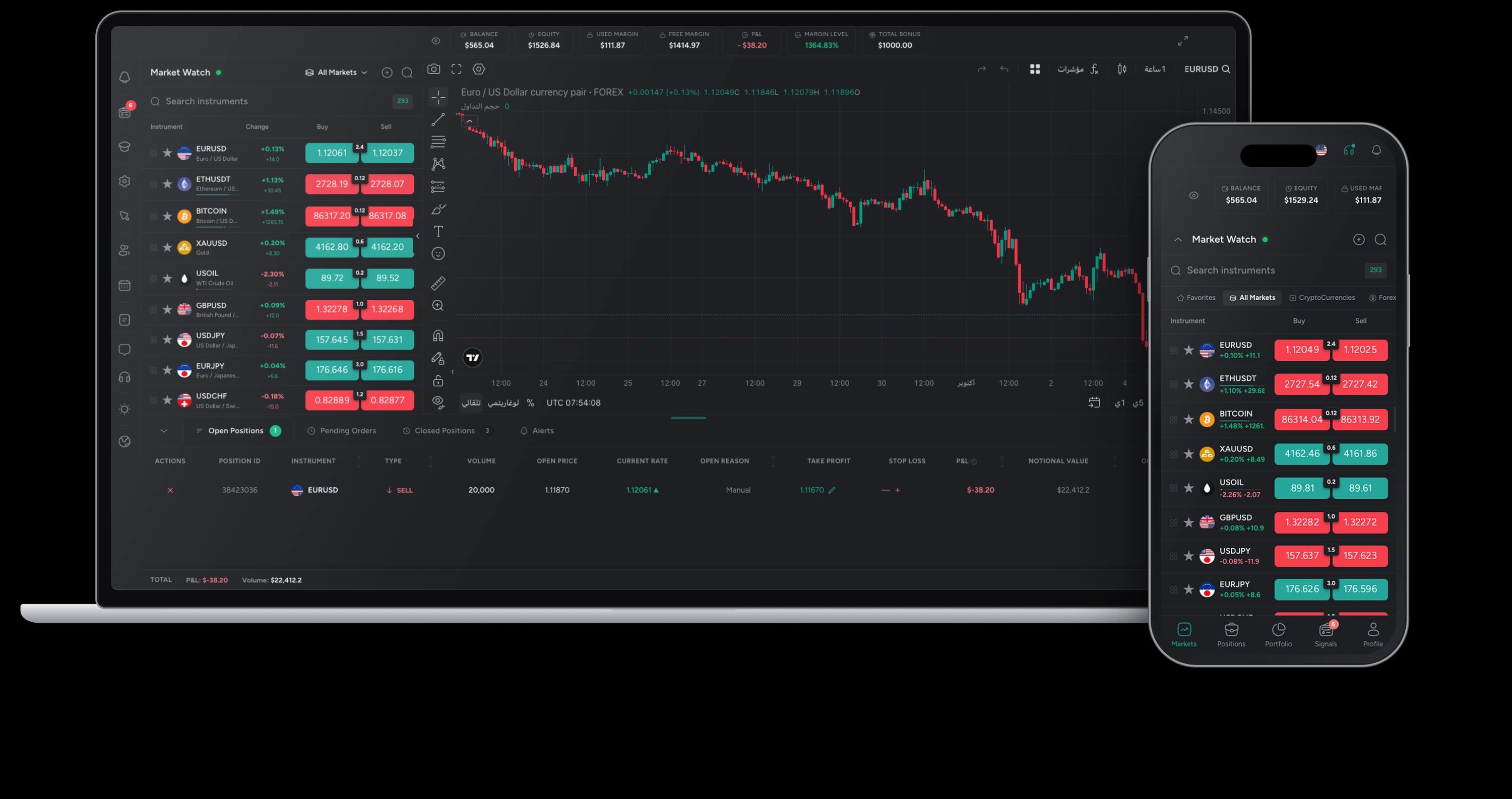
Platform at a glance
- Instruments
- 500+
- Asset Classes
- 6
- Chart Timeframes
- 9
- Installs for clients
- 0
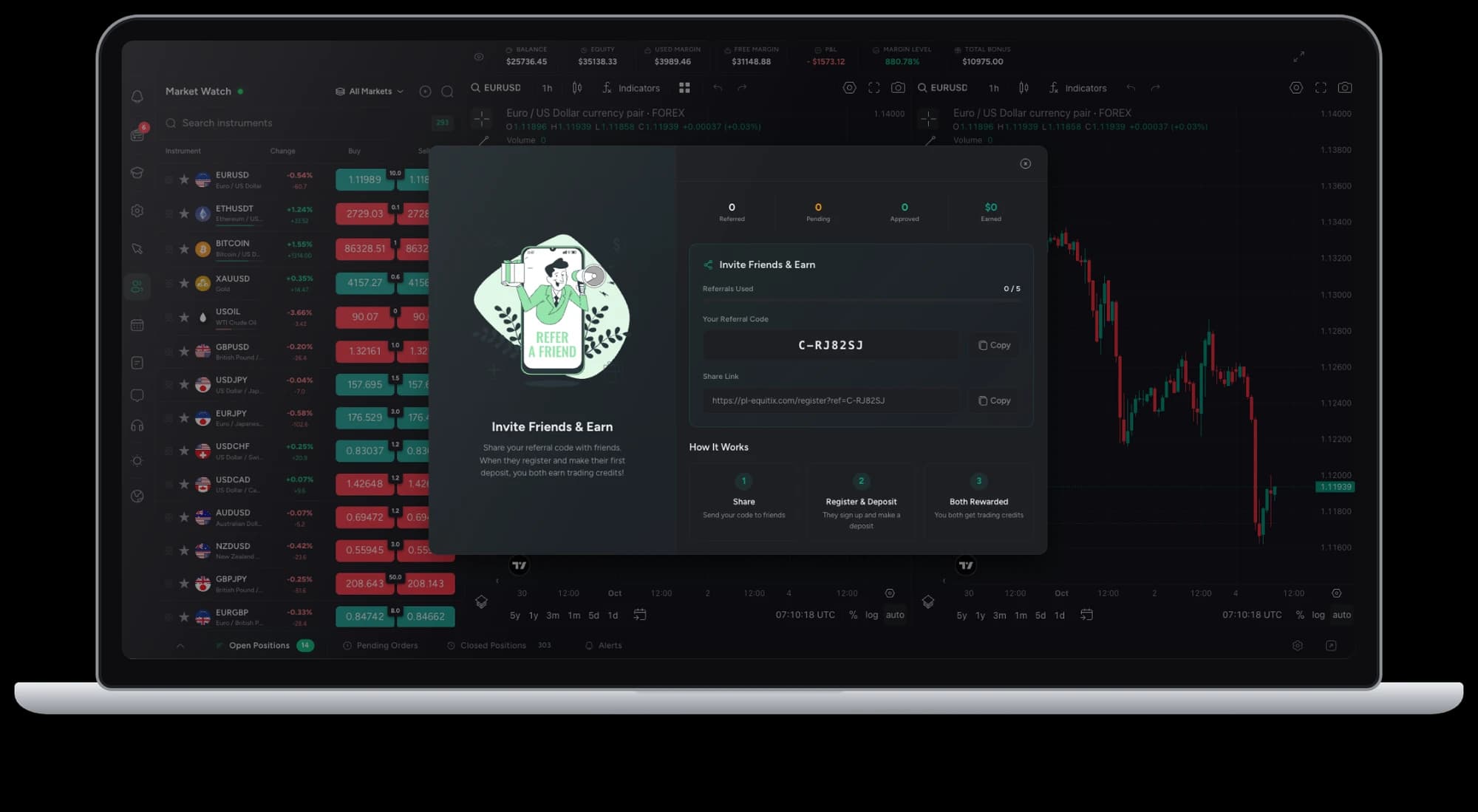
Refer a Friend
Turn every client into a growth channel
A referral program built into the platform. Clients invite friends from their dashboard, and the rewards run themselves — no spreadsheets, no manual payouts.
Personal invite links
Every client gets a unique link and code to share, with each signup attributed automatically.
Automated credit deposit
When a referred friend meets your funding rules, the reward is credited to the referrer's account instantly.
Automatic follow-up
Reminders and status updates reach referrers and invitees as each friend registers, verifies, and funds.
Full tracking in the CRM
Follow every referral from invite to first deposit, and set the reward rules for your brand.
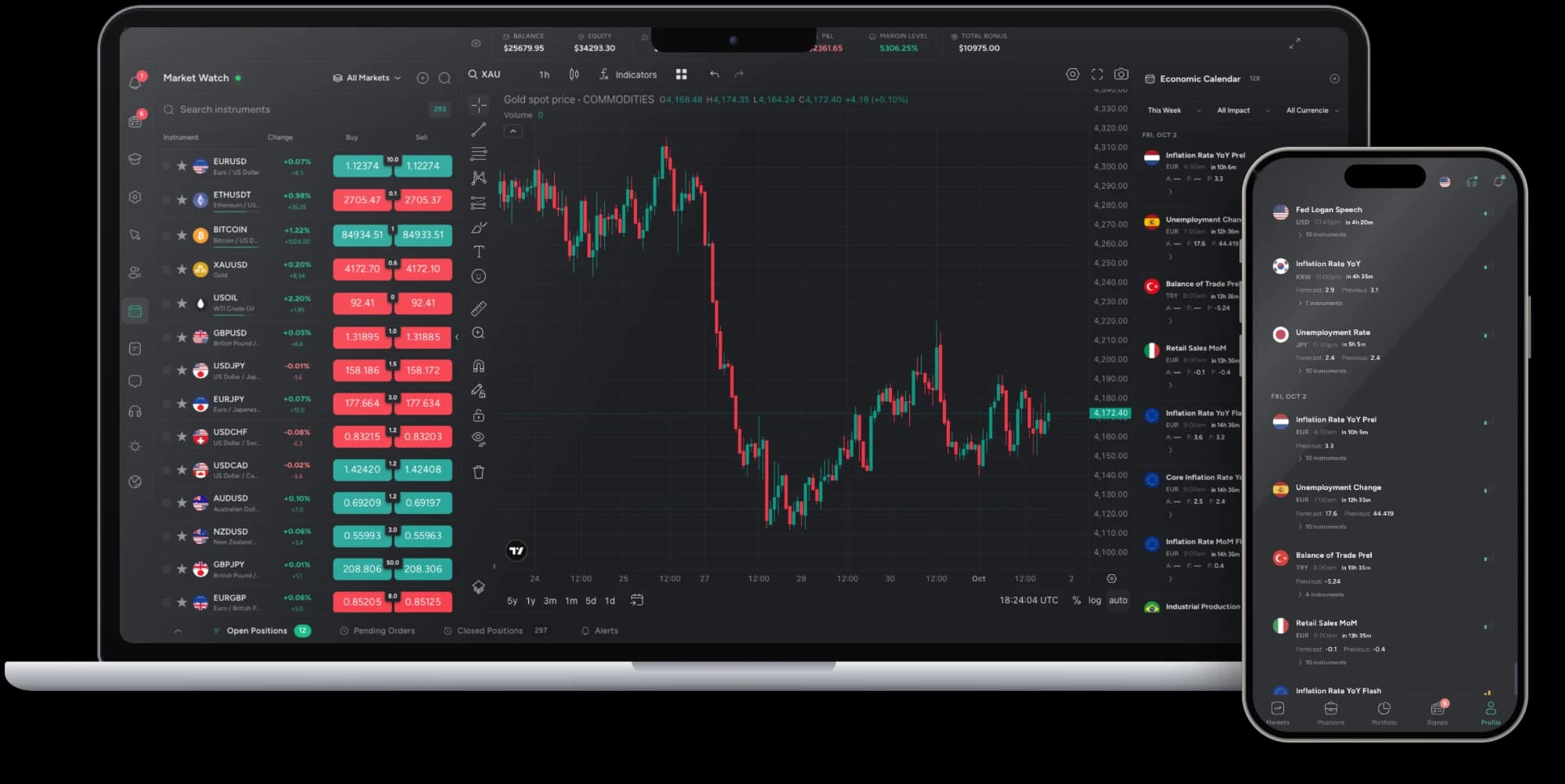
AI Economic Calendar
Know what moves the market before it does
An economic calendar inside the platform that does more than list events. AI explains what each release means for the instruments your clients trade, and puts it in context with the past.
Impact explained
Each release is rated by expected impact, with a plain-language summary of what it means and which instruments it can move.
Historical data
See previous and forecast values next to the actual figure, and how markets reacted to the same release before.
Filter by what matters
Narrow the week by impact level, currency or market so clients see only the events that affect them.
Next to the live chart
The calendar sits beside the chart on web and mobile, so clients never leave their trade to check the news.
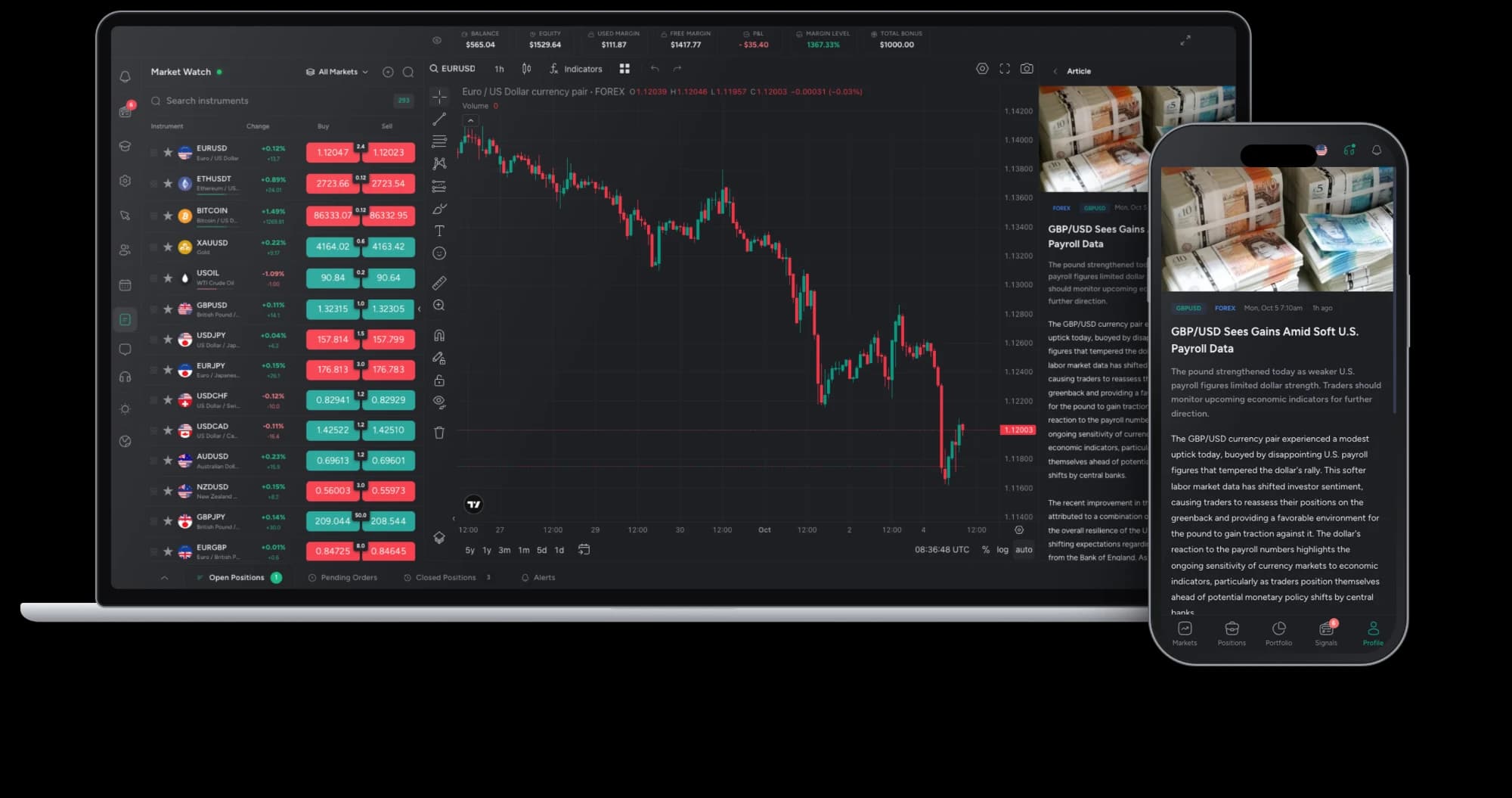
AI Market News
Today's best movers, delivered daily
Every day, AI scans the market and publishes the stories behind the biggest moves, written in plain language and tagged to the instruments they affect. Clients read it in the platform, right beside the chart.
Best movers, every day
AI picks out the instruments making the biggest moves and writes up what drove them.
Tagged to instruments
Each article is labelled with the pairs and markets it covers, so clients find what is relevant to them fast.
Read without leaving the trade
Articles open in a panel next to the live chart on web, and full screen on mobile.
Always fresh
New stories appear through the day, each timestamped, so clients see what is current.
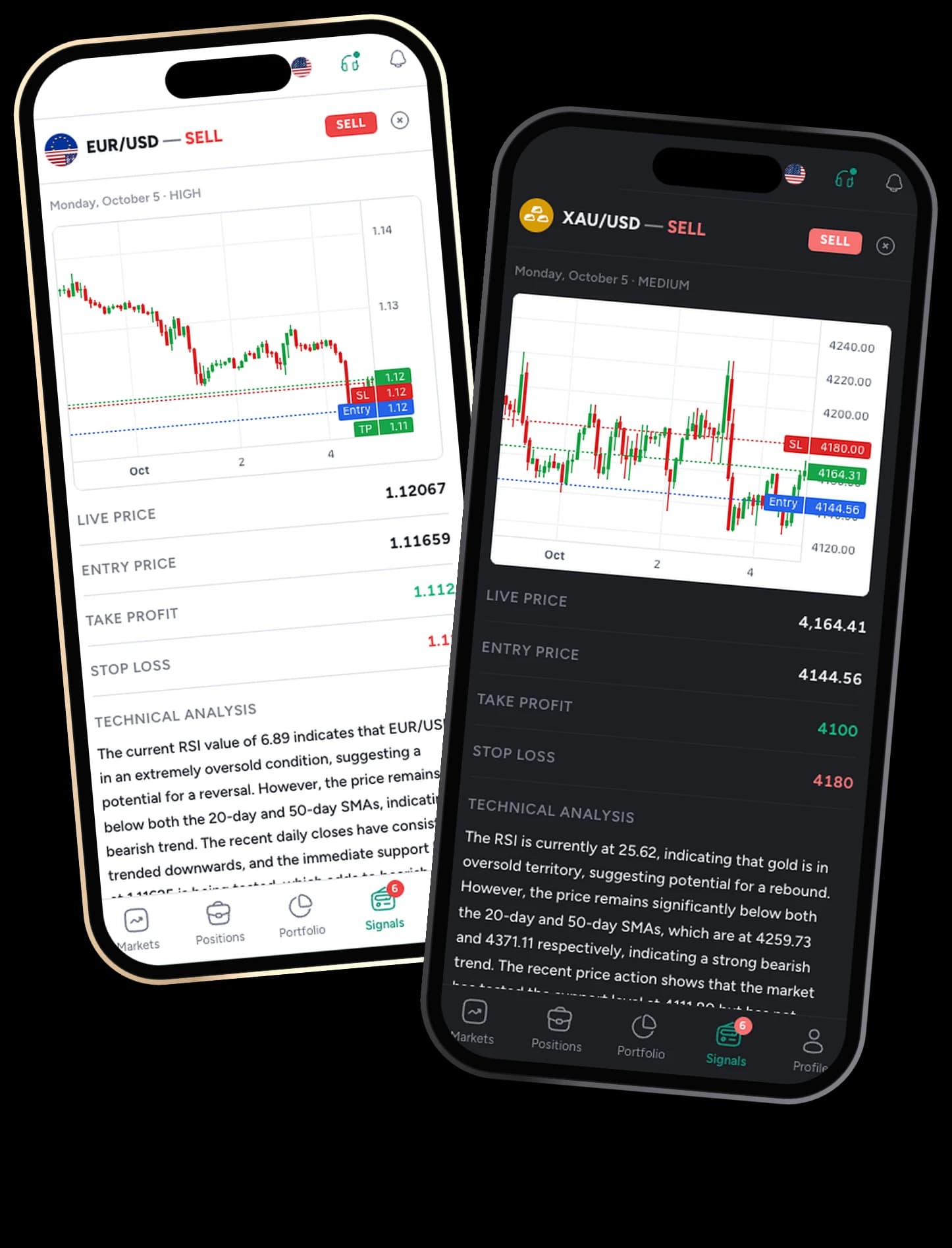
AI Signals
Daily trade signals, from AI analysis
Every day, AI analyses the markets and publishes trade ideas inside the platform, each with a clear entry, take profit and stop loss and the technical reasoning behind it. No subscriptions to separate signal services for your clients.
Entry, take profit and stop loss
Every signal comes with the levels to act on, drawn on the chart so clients see the idea at a glance.
The analysis behind it
A written technical breakdown, from RSI to moving averages and key support levels, explains why the signal was issued.
Rated by strength
Signals are dated and marked high or medium, so clients can focus on the strongest ideas first.
Fresh every day
New signals are generated daily across the instruments your clients trade, with live price shown alongside.
Core platform
Everything your clients need to trade with confidence
Professional charting, real-time execution, portfolio management, and built-in funding — all in one trading environment.
Charting and market data
TradingView-powered charts
Nine timeframes, 100+ technical indicators, drawing tools, and multiple chart layouts with real-time OHLCV data streaming.
Charting and market data
Multi-asset market watch
Real-time bid and ask prices across every instrument you offer. Browse by category, search by symbol, or pin favorites.
Trading and execution
One-click trading
Execute trades instantly from the chart or the market watch with a single click.
Trading and execution
Advanced order management
Market, Limit, and Stop orders with Take Profit and Stop Loss. Full transparency on margin, pip value, and effective leverage before every trade.
Trading and execution
Position management
Every open position with live P&L, color-coded for profit and loss. Modify or close with a single tap, with aggregated totals across all trades.
Account and funding
Portfolio dashboard
Balance, Equity, Used Margin, Free Margin, P&L, and Margin Level — updating in real time. The deposit button is one tap away.
Account and funding
Built-in deposits and withdrawals
Clients fund and withdraw directly inside the platform. Configurable deposit channels and preset amounts reduce friction.
Client experience
Mobile trading
The full trading experience on mobile — TradingView charts, order management, and portfolio overview, optimized for touch.
Our track record
Powering brokerages across the globe with reliable trading infrastructure
- Brokers
- 40+
- Partners
- 30+
- Years of Experience
- 10+

WebTrader FAQ
Questions about the WebTrader
How the platform is delivered, branded and connected to the rest of your brokerage.
01Do clients need to install anything?
No. The trading platform runs in any modern desktop or mobile browser, on your own domain. The mobile experience delivers the same features — TradingView charts, order management, and portfolio overview — optimized for touch.
02How much of the platform can we brand?
Everything your clients see: brand name, logo, color scheme, domain, languages, and trading conditions. Every screen — login, trading, portfolio, deposit forms — carries your brand exclusively.
03Does it connect to the Backoffice CRM?
Yes. Registrations, accounts, KYC status, deposits, withdrawals, and trading activity are shared with the Backoffice CRM, so your team works from one system without re-keying data.
04Which instruments can clients trade?
You choose from 500+ instruments across six asset classes — Forex, Crypto, Commodities, Stocks, and Indices — and set the trading conditions for each client group.
05What charting is available?
The platform integrates TradingView charting with nine timeframes from one minute to one month, 100+ technical indicators, drawing tools, and multiple chart layouts with real-time data streaming.
06How do clients deposit and withdraw?
Clients fund and withdraw directly inside the platform. You configure the deposit channels available to your clients. Configurable preset amounts reduce friction and speed up funding.